
Kids IPTV Malta: Safest Channels for Children and How to Set Parental Controls
As more families in Malta switch to IPTV for their daily entertainment, one question comes up again and again among parents: is it safe for children? The short answer is yes — but only if it is set up correctly. Kids IPTV Malta services offer a wide range of age-appropriate content, from educational programmes to beloved cartoons. The key is knowing what to look for and how to configure your settings before handing over the remote.
This guide is written specifically for parents who want to make IPTV a safe, enjoyable experience for their children — without the guesswork.
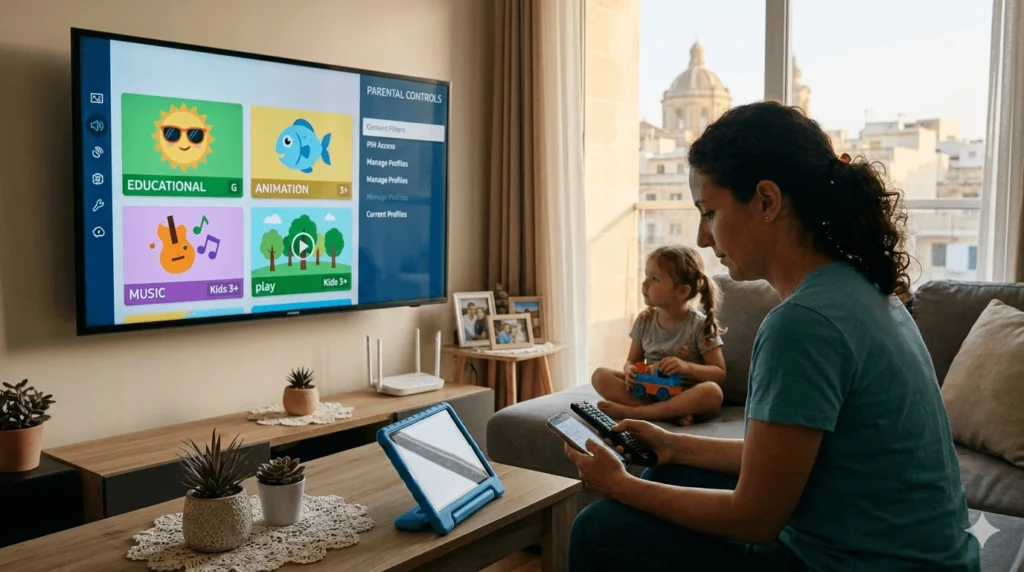
Why Parents Choose IPTV for Kids in Malta
IPTV has become a popular choice for Maltese families, and it is not hard to see why. Unlike traditional cable or satellite TV, IPTV gives you much greater control over what is available in your home. You can access hundreds of channels from across Europe and beyond, many of which are dedicated entirely to children’s programming.
Here are some of the main reasons parents in Malta are turning to IPTV for their kids:
- Variety of content: From toddler-friendly shows to programmes for older children, there is something for every age group.
- On-demand flexibility: Many IPTV services include a catch-up or VOD (video on demand) feature, so children can watch their favourite shows at a time that suits the family routine.
- Cost-effectiveness: A single IPTV subscription often covers far more channels than a standard cable package, including dedicated kids’ channels.
- Parental control options: Most IPTV apps allow parents to apply filters, PIN codes, and content restrictions directly within the platform.
Best Kids Channels Available on IPTV
One of the biggest advantages of a good IPTV service is the sheer number of children’s channels available. Here is a breakdown of what you can typically expect.
Educational Channels
Educational TV remains one of the most valuable tools for children’s development. On IPTV, you will usually find channels such as:
- CBeebies – Perfect for younger children aged 0–6, with a focus on learning through play and storytelling.
- Nick Jr. – A mix of fun and foundational learning for pre-school children.
- Baby TV – Designed specifically for babies and toddlers, with calm, stimulating content.
These channels help children build language skills, emotional awareness, and creativity in a screen time environment that parents can feel comfortable with.
Cartoon and Entertainment Channels
For slightly older children, entertainment-focused channels offer a healthy balance of fun and imagination:
- Cartoon Network – Home to popular series that appeal to kids aged 6–12.
- Nickelodeon – A long-standing favourite with a wide range of animated and live-action shows.
- Disney Channel – Family-friendly content that parents and children can enjoy together.
Age-Appropriate Content Tips
Not all content labelled as “kids” is suitable for every age. Before letting your child browse freely, take a few minutes to:
- Check channel ratings and age classifications when available.
- Preview unfamiliar programmes before sharing them with younger children.
- Use the search or category filter in your IPTV app to look for specifically curated children’s sections.
How to Choose Safe IPTV Content for Children
Choosing the right IPTV provider is the first step toward a safer viewing environment. When evaluating options, parents should consider the following:
- Does the service offer a dedicated kids’ section? A well-organised children’s category makes it much easier to manage what your child can access.
- Are parental control tools built into the app? This is essential. Without these tools, you are relying entirely on your child’s judgement.
- Is the channel list clearly categorised? Transparency in content categories helps you make informed decisions quickly.
Once you have chosen a reliable service, content filtering becomes a simple daily habit rather than a constant concern.
How to Set Parental Controls on IPTV
This is often the most important practical step for parents. Most modern IPTV applications include built-in tools that make it straightforward to create a safer viewing space.
Using IPTV App Parental Settings
Open your IPTV application and navigate to the settings menu. Look for a section labelled “Parental Controls,” “Content Restrictions,” or “Family Settings.” The exact location varies by app, but it is usually found in the general settings area.
Blocking Adult or Unsafe Content
Within the parental controls menu, you should be able to select which categories of content are restricted. This typically includes:
- Adult channels (usually labelled 18+ or XXX)
- Violence or mature content categories
- Unclassified or foreign-language channels that have not been verified
Enable restrictions on all categories that are not appropriate for your child’s age group.
Setting PIN Codes
A PIN code adds an essential layer of protection. Once set, any attempt to access restricted content will require the PIN before proceeding. Choose a code your child will not easily guess, and avoid using obvious combinations like birthdays. Store it somewhere secure.
Managing Screen Time
Some IPTV apps allow you to set daily viewing limits or schedule access hours — for example, only allowing the TV to function between 3pm and 7pm. If your app does not offer this feature, you can achieve the same result using parental controls on your home router or on the device itself (Smart TV, tablet, or streaming box).
Best Practices for Safe IPTV Viewing at Home
Setting up parental controls is a great starting point, but ongoing habits matter just as much.
- Monitor usage regularly: Check your IPTV app’s viewing history periodically to get a sense of what your child is watching.
- Use secure, well-reviewed apps: Stick to established IPTV applications with strong reputations. Avoid unofficial or poorly reviewed alternatives.
- Combine IPTV controls with device-level settings: Use your tablet, Smart TV, or streaming device’s own parental controls alongside your IPTV settings for an added layer of security.
- Keep conversations open: Talk to your children about what they watch. Encourage them to come to you if they ever see something that makes them feel uncomfortable.
For broader advice on keeping children safe in digital environments, the team at Internet Matters offers excellent, regularly updated guidance for parents.
How to Make IPTV Safe for Kids in Malta: A Simple Checklist
Use this checklist as a quick reference before your child uses IPTV:
- Set up a PIN code on restricted content categories
- Block adult and unclassified channels
- Enable any available screen time or access hour limits
- Verify the kids’ channels section is easy for your child to find and navigate
- Apply parental controls on the viewing device as well
- Review viewing history once a week
- Speak with your child about appropriate content
Frequently Asked Questions
Is IPTV safe for children? Yes, when properly configured. Using the built-in parental control tools and PIN protection makes IPTV a safe and flexible option for family viewing.
How do I block adult channels on IPTV? Go into the settings menu of your IPTV app, find the parental controls section, and enable content restrictions on adult or 18+ categories. Set a PIN to prevent access without your approval.
Can I control what my kids watch on IPTV? Absolutely. Most IPTV apps let you restrict specific channels or content categories, set PIN codes, and in some cases manage daily viewing time.
Are kids channels available in Malta on IPTV? Yes. A quality IPTV service in Malta will include a broad selection of children’s channels from the UK, Europe, and internationally — including CBeebies, Nickelodeon, Disney Channel, and more.
Do I need special apps to use IPTV safely for children? No special app is required, but you should use a reputable IPTV application that includes built-in parental control features. Pair this with your device’s own safety settings for the best results.
If you are looking to get started with a reliable IPTV service in Malta or have questions about setting up kids’ channels and parental controls, visit IPTV Malta 4K for more information.
Need help getting connected or have specific questions about your setup? You can reach out directly via WhatsApp — the support team is happy to guide you through the process at your own pace.